
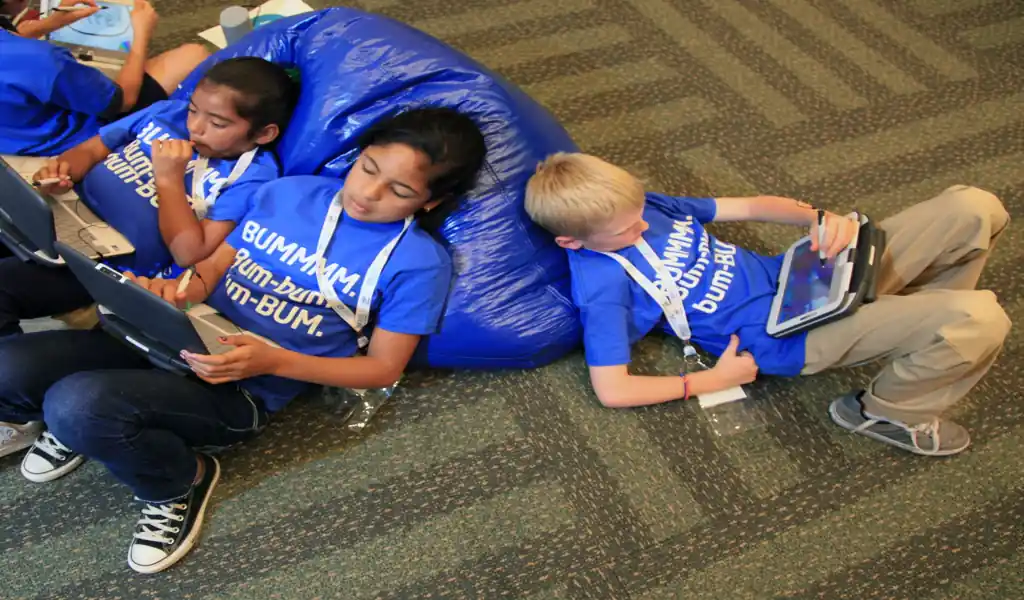
NEW YORK – Tablets and laptops can be valuable tools for students, but the same devices used for assignments can also compete for a child’s attention through games, videos, social media, messaging and notifications.
The challenge for parents is not necessarily to keep children away from technology. It is to create a system in which schoolwork has a clear place and recreational screen use does not constantly interrupt it.
That starts with separating the device’s educational purpose from its entertainment features whenever possible.

Set clear rules before schoolwork begins
Children are more likely to follow technology rules when expectations are established before a disagreement occurs.
Parents can set simple rules covering when devices may be used for schoolwork, which applications are permitted and when entertainment becomes available.
For example, a household rule might be:
Schoolwork first. Entertainment after the assignment is finished.
The rules should be specific enough that children understand what is expected without requiring a new negotiation every time they open a device.
■ Related News




Turn off unnecessary notifications
Notifications are one of the easiest ways for a device to interrupt concentration.
Messages, social-media alerts, game notifications and promotional reminders can pull a child away from an assignment even when the child did not intend to use those services.
Parents can help by enabling Do Not Disturb, Focus or similar settings during study periods.
Educational notifications that are genuinely necessary can remain available, while recreational alerts can wait until the study session ends.
Create a dedicated study environment
Where a child uses a device can influence how easily they concentrate.
A dedicated study area can help establish a mental distinction between schoolwork time and entertainment time.
If possible, the workspace should have limited distractions and enough room for books, notebooks and other materials.
For younger children especially, studying in a common household area can also make it easier for parents to provide support without constantly monitoring the screen.
Keep entertainment apps separate
If a child uses the same tablet or laptop for homework and entertainment, switching between the two can become effortless.
Parents can reduce that temptation by keeping recreational applications and websites separate from the child’s primary schoolwork environment.
Depending on the device, families may be able to use separate user accounts, parental controls or school-managed profiles.
The goal is not surveillance for its own sake. It is to make the desired behavior easier.
Use screen-time limits strategically
Screen-time controls can be useful, but they work best when they support an agreed household routine.
Parents can establish limits for recreational applications while allowing reasonable access to educational tools.
For example, a child might have unrestricted access to a school platform during homework hours while games and entertainment applications remain unavailable until later.
Parents should periodically review the settings because children’s schedules and school requirements change.
Teach children to manage distractions themselves
Technology rules are more effective when children eventually learn why those rules exist.
Parents can teach children to recognize common distractions:
- checking messages repeatedly;
- switching to entertainment websites;
- opening unrelated browser tabs;
- watching short videos between assignments;
- playing games during study breaks; and
- responding immediately to every notification.
The objective is to develop digital self-control, rather than making a child dependent on parental supervision.
Break assignments into manageable sessions
Long periods of uninterrupted homework can make distractions more tempting.
Breaking work into smaller sessions can give children clear goals and predictable opportunities to rest.
A child might work on one assignment for a set period, take a short break and then return to the next task.
During the work period, the device should be used only for the assignment.
The exact schedule can vary according to the child’s age, workload and attention span.
Keep phones away when they are not needed
A laptop or tablet may be necessary for an assignment, but a smartphone often is not.
If a phone is not required for schoolwork, placing it outside the immediate study area can remove another source of interruption.
This is especially useful when children receive frequent messages or social-media notifications.
Use parental controls as a support tool
Most major operating systems provide tools that allow parents to manage applications, screen time, content and purchases.
These controls can be particularly useful for younger children.
However, parental controls should complement conversations and household rules rather than replace them.
As children become more independent, parents can gradually shift responsibility toward the child.
Make breaks genuinely different from screen time
A study break does not necessarily need to involve another screen.
Walking, stretching, getting a drink, talking with family members or simply stepping away from the desk can give a child a clearer mental reset.
If every break involves opening a video platform or social-media application, a short break can easily turn into an extended distraction.
Watch for signs that the system is not working
Parents should look beyond the amount of time a child spends on a device.
Warning signs can include:
- homework consistently taking much longer than expected;
- frequent switching between schoolwork and entertainment;
- difficulty stopping recreational screen use;
- repeated arguments over device rules;
- falling behind on assignments; or
- a child being unable to concentrate without constant supervision.
These signs do not necessarily mean the child is misusing technology. They can indicate that the family’s current routine needs adjustment.
The goal is balance, not eliminating technology
Digital devices are now part of many children’s education. Trying to eliminate them completely may not be realistic or necessary.
The more useful approach is to establish boundaries that make the purpose of the device clear.
A tablet or laptop can be both a classroom and an entertainment center. The challenge is teaching children when it is one and when it is the other.
Parents can make that distinction easier by reducing notifications, separating school and recreational activities, creating predictable study routines and gradually teaching children how to manage their own digital distractions.
The long-term objective is not simply to get through tonight’s homework.
It is to help children develop the ability to use technology without allowing technology to control their attention.
Practical Checklist
- Establish clear homework and entertainment rules.
- Disable unnecessary notifications during study time.
- Create a dedicated study space.
- Separate educational and recreational applications where possible.
- Use screen-time controls for entertainment.
- Keep phones away when they are unnecessary.
- Break long assignments into manageable sessions.
- Encourage non-screen breaks.
- Teach children how to recognize digital distractions.
- Gradually give older children more responsibility for managing their screen use.
Reporting Credit: American Academy of Pediatrics — Family Media Plan and children’s media guidance; Common Sense Media — Family technology and screen-use guidance; U.S. Department of Education — student technology and digital learning resources.