Journos News - Breaking News, World News, Top Stories, Todays Headlines and Flash Reports
Wednesday, September 2, 2026
  • Login
  • Home
  • World
    • Africa
    • Americas
    • Asia
    • Europe
    • Middle East
    • Oceania
  • Politics
  • Business
  • Technology
  • Health
  • Science
  • Sports
  • Entertainment
  • Culture
No Result
View All Result
  • Home
  • World
    • Africa
    • Americas
    • Asia
    • Europe
    • Middle East
    • Oceania
  • Politics
  • Business
  • Technology
  • Health
  • Science
  • Sports
  • Entertainment
  • Culture
No Result
View All Result
Journos News - Breaking News, World News, Top Stories, Todays Headlines and Flash Reports
No Result
View All Result
Home Health

How to Relieve Eye Strain from Screens: Simple Tips for a Healthier Workday

The 20-20-20 Rule: A Simple Fix for Digital Eye Strain

The Daily Desk by The Daily Desk
June 15, 2026
in Health, Mental & Personal Health
0
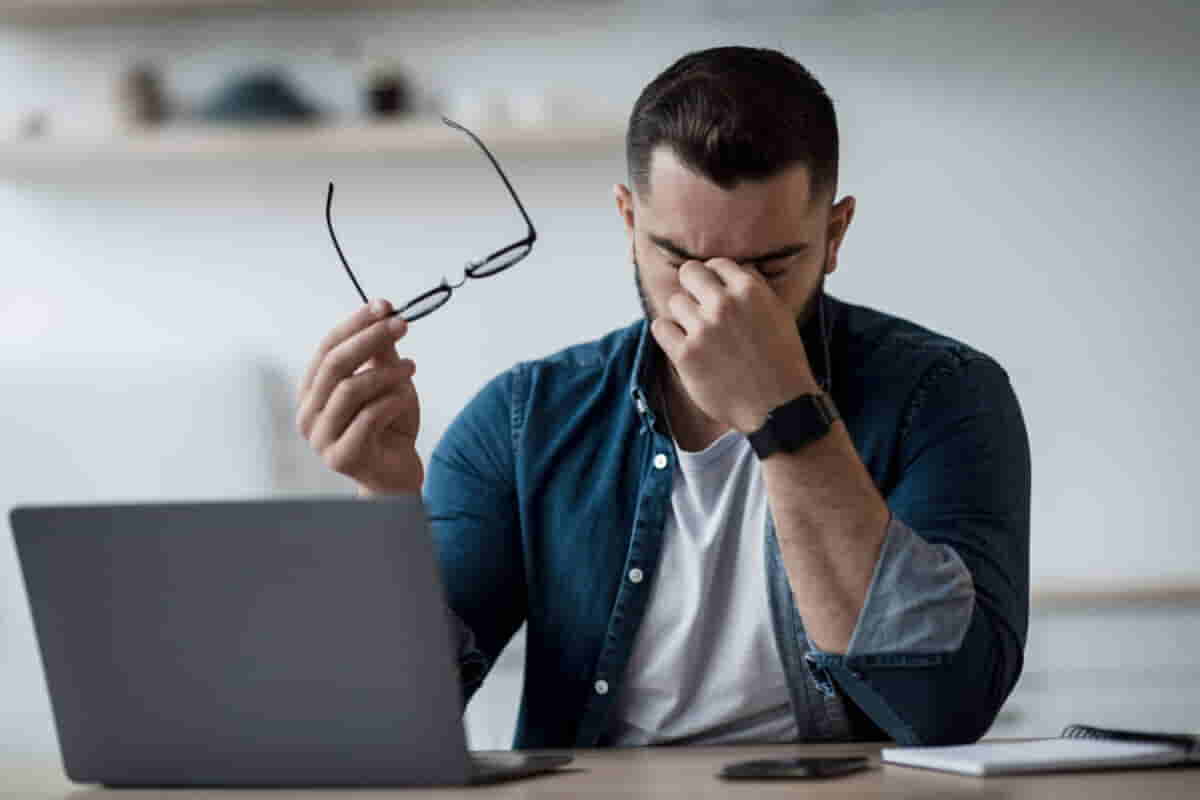
Say Goodbye to Blurry Vision: Tips to Reduce Eye Strain at Work- Prostock-studio - stock.adobe.com via studyfinds.org

Protecting Your Eyes from Screen Fatigue: Small Changes, Big Relie- Prostock-studio - stock.adobe.com via studyfinds.org

Relieving Eye Strain and Improving Desk Setups for Healthier Screen Time

For many of us, staring at screens for hours each day has become unavoidable. While screens help us perform various tasks, they also contribute to eye strain, discomfort, and long-term health issues. Cathy Higgins, a university administrator, found herself struggling with blurry vision and frequent migraines after spending hours at her desk each day. “My vision was so blurry, I couldn’t even see what was on the screen,” she recalls. This is a common issue that many people experience due to prolonged screen time.

The Impact of Prolonged Screen Exposure

An estimated 104 million Americans spend over seven hours a day in front of digital screens, from work to entertainment. This constant exposure can lead to several symptoms, such as dry or watery eyes, blurred vision, headaches, and even more severe conditions like myopia (nearsightedness). Some technology workers also report dizziness after long hours in front of a screen.

Why does this happen? When you stare at a screen for extended periods, the muscles that help your eyes focus become overworked. According to Steven Reed, president of the American Optometric Association, these muscles are not designed to stay tense all day. It’s similar to holding up a light weight for hours — it becomes tiring even though it’s not a heavy lift.

Eye Health and Screen Use

Despite popular myths, exposure to blue light from digital screens does not cause permanent damage to your eyes. However, the symptoms of eye strain can interfere with daily life. Reed, an optometrist, regularly sees patients with complaints of eye pain and blurry vision linked to computer use. He suggests regular eye exams and the simple solution of taking frequent breaks to reduce strain.

For Cathy Higgins, the fatigue from constant screen time meant that her weekends were spent catching up on work instead of engaging with her children. “I couldn’t be as involved in what they were doing as I wanted,” she said. This is an all-too-familiar scenario for many individuals who struggle with screen-induced discomfort.

Simple Tips to Combat Eye Strain

1. Follow the 20-20-20 Rule

Take a break every 20 minutes of screen time. Look at something 20 feet away for 20 seconds to relax your eye muscles. This simple action helps reduce fatigue.

2. Blink More Often

When staring at a screen, we blink significantly less — about 3-7 times per minute compared to the usual 18-22 blinks. This decreases the moisture in your eyes, leading to dryness. Consider using lubricating eye drops to prevent irritation.

3. Adjust Your Desk Setup

Small changes to your workspace can make a big difference. Try using a larger monitor to reduce eye fatigue and increase text size on your devices.


■ Related News

Why You Must Clean Your Reusable Water Bottle Daily - AP Photo/Patrick Sison

Why You Should Clean Your Reusable Water Bottle — And How to Do It Safely

June 16, 2026
U.S. Women Leaving Workforce at Historic Rates Amid Childcare and Policy Challenges - Pete Kiehart/Bloomberg/Getty Images

U.S. Women Leaving Workforce at Record Rates Amid Childcare and Policy Challenges

May 12, 2026
The NHS App Revolution: Faster Test Results and Appointment Reminders - Getty Images

NHS App Set to Replace Millions of Letters, Saving £200m

June 15, 2026
Want to Live Into Your 90s Without Disease? Here’s What Works - DjelicS/E+/Getty Images

How to Live Longer and Healthier: A Top Doctor Shares His Secrets

June 16, 2026

When Cathy Higgins switched to a 29-inch monitor and adjusted her seating position, sitting about three feet away from the screen, it alleviated much of her eye strain. Even though long workdays still cause occasional blurry vision, the improvements helped her significantly.

Experts recommend positioning your screen about arm’s length away and slightly below eye level to minimize strain.

4. Be Cautious of Blue Light Glasses

While marketed as a solution for reducing digital eye strain, blue light glasses may not be as effective as claimed. Research shows that the symptoms caused by screen use are more about our habits than the blue light emitted from the screen. Focus on improving your screen habits instead of relying on glasses for relief.

How to Protect Children’s Eyes

As children spend increasing amounts of time on devices for school and leisure, it’s crucial to be mindful of their eye health. Excessive screen time can accelerate the development of myopia, particularly in young kids.

Ayesha Malik, a pediatric optometrist at Children’s Hospital of Philadelphia, recommends the 20-20-20-2 rule for children: every 20 minutes of screen time should be followed by looking at something 20 feet away for 20 seconds, and also aim for at least 2 hours of outdoor play each day.

“Children are often engaging with screens for hours a day, so it’s difficult to track how much time they’re spending on devices,” says Malik. She suggests limiting screen sessions to no more than 20 minutes at a time.

Enhancing Sleep Quality

Using screens right before bed can interfere with sleep. The blue light emitted from devices can increase alertness and make it harder for you to unwind. To improve sleep, experts suggest turning off devices at least one to two hours before bed. Alternatively, setting your screen to “dark mode” or switching to an audiobook or podcast instead of watching videos can help minimize the impact of bright light.

Conclusion

While screen time is essential for many aspects of life, it’s important to take proactive steps to protect your eyes. Regular breaks, proper desk setup, and adjusting screen habits can make a big difference in reducing discomfort and improving overall well-being. By following simple tips like the 20-20-20 rule, blinking more often, and being mindful of your posture, you can relieve eye strain and create a healthier relationship with your digital devices.


Source

Tags: #20-20-20Rule#BlinkMore#BlueLight#ChildrenAndScreens#ComputerVisionSyndrome#DeskSetup#DigitalHealth#Ergonomics#EyeCare#EyeFatigue#EyeHealthTips#EyeStrain#EyeStrainRelief#HealthyEyes#HealthyHabits#HealthyWorkHabits#LubricatingEyeDrops#MigraineRelief#MyopiaPrevention#Optometry#OutdoorPlay#PreventEyeStrain#ScreenBreaks#ScreenTime#ScreenTimeHealth#TechHealth#VisionCare#VisionProtection#WorkFromHome#WorkplaceComfort#WorkplaceWellness
The Daily Desk

The Daily Desk

The Daily Desk is a contributor at JournosNews.com covering politics, media, governance, and the evolving dynamics of public discourse. Stories published under this byline are produced in accordance with JournosNews' editorial standards, with an emphasis on verified reporting, accuracy, context, and impartiality.

Related Posts

Local Voices Silenced as Federal Vaccine Study Is Axed - Thomas Peipert/AP Photo

Denver Flu Shot Study Canceled After Years of Community Effort

June 15, 2026
Teens Speak Out: Social Media Is Harming Our Wellbeing - Cavan Images/Getty Images

Half of U.S. Teens Say Social Media Hurts Their Generation’s Mental Health

June 15, 2026
Zoom Crashes Midday, Sparks Celebration and Confusion Online - Gabby Jones/Bloomberg/Getty Images via CNN

Zoom Goes Down, Meetings Get Cancelled Across the U.S.

June 14, 2026
Study: Technology Use Tied to 42% Lower Risk of Cognitive Decline - mixetto/E+/Getty Images via CNN

Using Technology May Help Lower Risk of Dementia, Study Finds

June 15, 2026
Your Midlife Diet May Predict How You Age, Experts Say - Yagi Studio/Digital Vision/Getty Images via CNN

Healthy Eating in Midlife Linked to Living Longer Without Disease

June 15, 2026
The Real Timeline for Seeing Workout Results - PeopleImages/iStockphoto/Getty Images via CNN

How Long Before You See Results from Your New Workout Routine?

June 15, 2026
How Just a Few Minutes of Movement Can Transform Your Health - South_agency/E+/Getty Images

Boost Your Health in Minutes: The Power of Exercise Snacks

June 15, 2026
Mediterranean Diet: A Natural Way to Reduce Cancer Risk - Monticelllo/iStockphoto/Getty Images

New Study Finds Mediterranean Diet May Help Prevent Cancer

June 15, 2026
Load More
Next Post
Weekly Market Wrap: Stocks See Strong Start to the Year - Seth Wenig/AP Photo

U.S. Stocks Reach First Record High of 2025

Google Explains Joe Biden’s Absence in Search Results as a Mistake - David Gray/Bloomberg/Getty Images

Google Fixes Error That Removed Joe Biden from U.S. Presidents List

JournosNews logo

Journos News delivers globally neutral, fact-based journalism that meets international media standards — clear, credible, and made for a connected world.

  • Categories
  • World News
  • Politics
  • Business & Markets
  • Technology
  • Health
  • Science
  • Sports
  • Arts & Culture
  • Resources
  • Editorial Standards
  • Submit a Story
  • Advertise with Us
  • Syndication & Partnerships
  • Site Map
  • Press & Media Kit
  • Editorial Team
  • Careers

Join thousands of readers receiving the latest updates, tips, and exclusive insights straight to their inbox. Never miss an important story again.

  • About Us
  • Editorial & Trust Center
  • Contact Us
  • Privacy Policy
  • Terms of Use & Copyright Notice

© JournosNews.com All rights reserved.

Welcome Back!

Login to your account below

Forgotten Password?

Retrieve your password

Please enter your username or email address to reset your password.

Log In
JournosNews

Independent Journalism.
Verified Facts.

You're about to read a professionally edited article from JournosNews.com.

Every article is produced in accordance with our editorial standards, emphasizing factual accuracy, transparent attribution, fairness, editorial independence, and meaningful context.

Editorial Standards
No Result
View All Result
  • Home
  • World
    • Africa
    • Americas
    • Asia
    • Europe
    • Middle East
    • Oceania
  • Politics
  • Business
  • Technology
  • Health
  • Science
  • Sports
  • Entertainment
  • Culture

© JournosNews.com All rights reserved.

This website uses cookies. By continuing to use this website you are giving consent to cookies being used. Visit our Privacy and Cookie Policy.